VFX & Compositing · Case study · 2026
AI-assisted garment replacement for a feature film
Replacing a jacket in 313 shots of a feature film
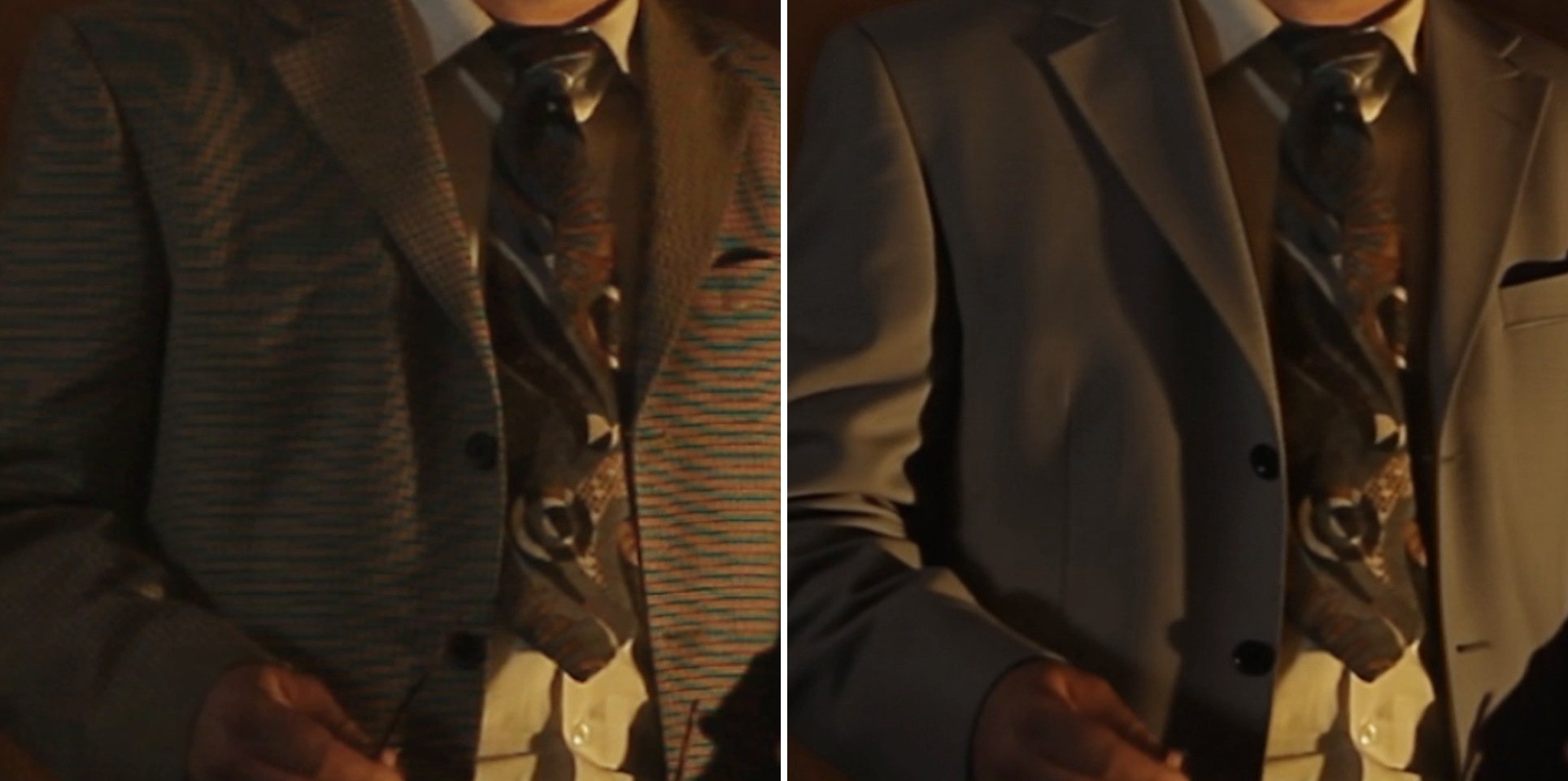
 Original
 Replaced
The lead actor’s check jacket turned into crawling rainbow moiré on camera, in 313 shots of a finished feature film. Using a combination of the latest AI models and traditional VFX, I replaced it with plain wool, shot by shot, at 4K, without touching anything else in the frame: the original footage is faithfully preserved, and only the jacket changes. This is how the garment replacement worked, and how I solved the challenges along the way.
- 313shots replaced
- 869AI video generations
- 31minutes of screen time
- 95custom tools built with Claude
- 0pixels changed outside the jacket
- FilmWhite Devils · horror feature, 95 minutes · IMDbFilmed in Durban, South Africa
- DirectorGabriel Bologna
- The jobReplace a check jacket that causes moiré with plain wool, wherever it appears
- Scale313 shots · 44,333 frames · 30 minutes 49 seconds of screen time13 settings, from a sunlit dirt road to a bed lit by one candle
- ApproachNon-destructive. Only the pixels inside the jacket’s matte are replaced; everything else in the frame is the original footage, untouched, at native 4K.The original master is never altered: each replacement sits as a separate layer over it, so any shot can be switched back to the original at any time.
- My roleVFX supervisor and artist: pipeline design, references, generation, compositing, review, conform and delivery
- ToolsWan 2.1 VACE and SAM 3 in ComfyUI (Comfy Cloud), Flux Kontext, Photoshop, After Effects, Mocha, Premiere Pro, Python, Claude
- Delivery4096×1716 ProRes 422 HQ
The Problem: Moiré Effect
Moiré happens when a fine, regular pattern, like a small check, lines up badly with the grid of the camera sensor. The camera can’t resolve the real weave, so it invents a bigger pattern: coloured waves that slide across the fabric every time the actor breathes or turns.
On a still frame it’s a distraction. In motion it pulls the eye away from the performance, and in this film the jacket is on screen for more than half an hour. No grade removes it. The fix had to happen in post, on the finished cut.
So the job wasn’t to clean up the moiré. It was a garment replacement: swap the jacket for one that can’t produce moiré, a plain light grey-sage wool, matched to the light of every scene, without touching the performance.
How the non-destructive garment replacement works
The model does the pixels, and that was the easy part. Getting 313 shots to look like one jacket, in one film, at delivery quality, took a production system around it.
One frame, start to finish
-
The original frame
4K, straight from the film. The fine check on his jacket crawls into moiré the moment he moves.
Original · 4096×1716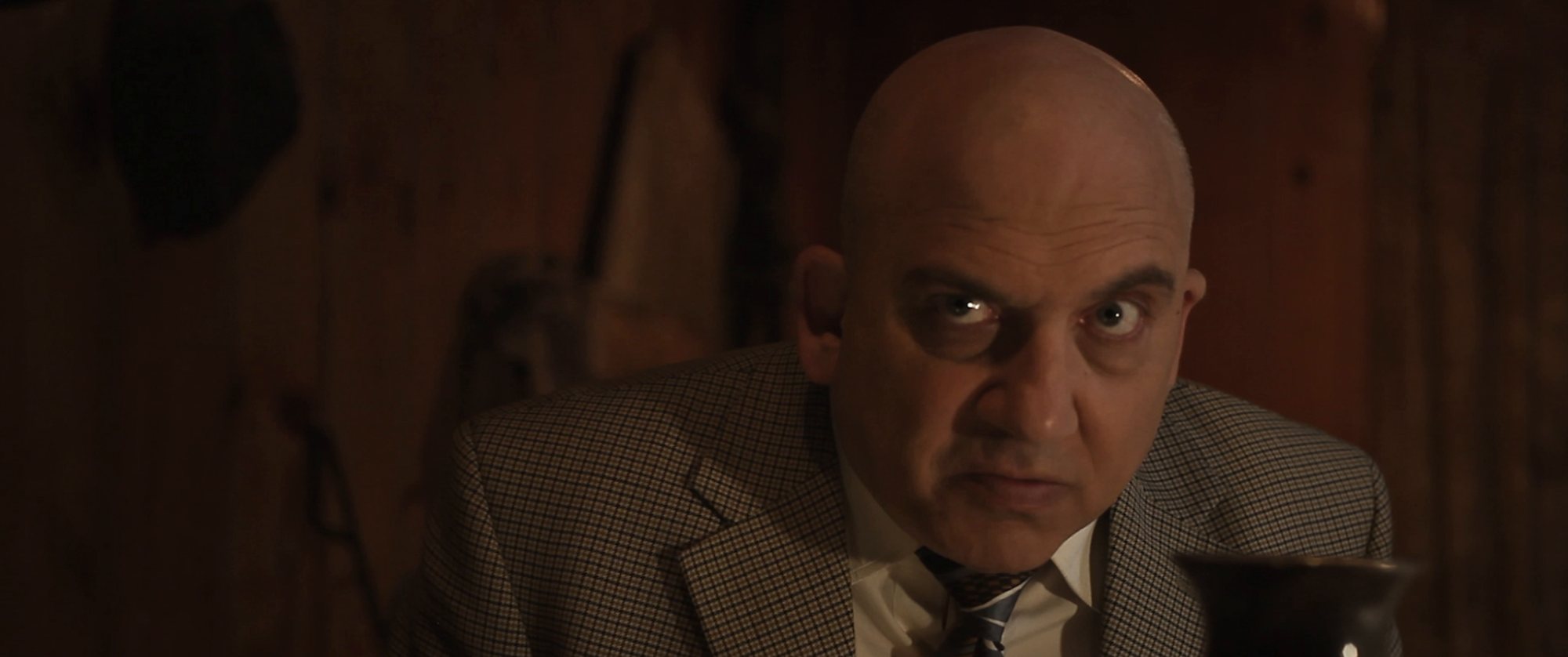
-
Find the jacket
A script follows the jacket through the whole shot and cuts a tight box around it. Everything outside the box never leaves the original.
Python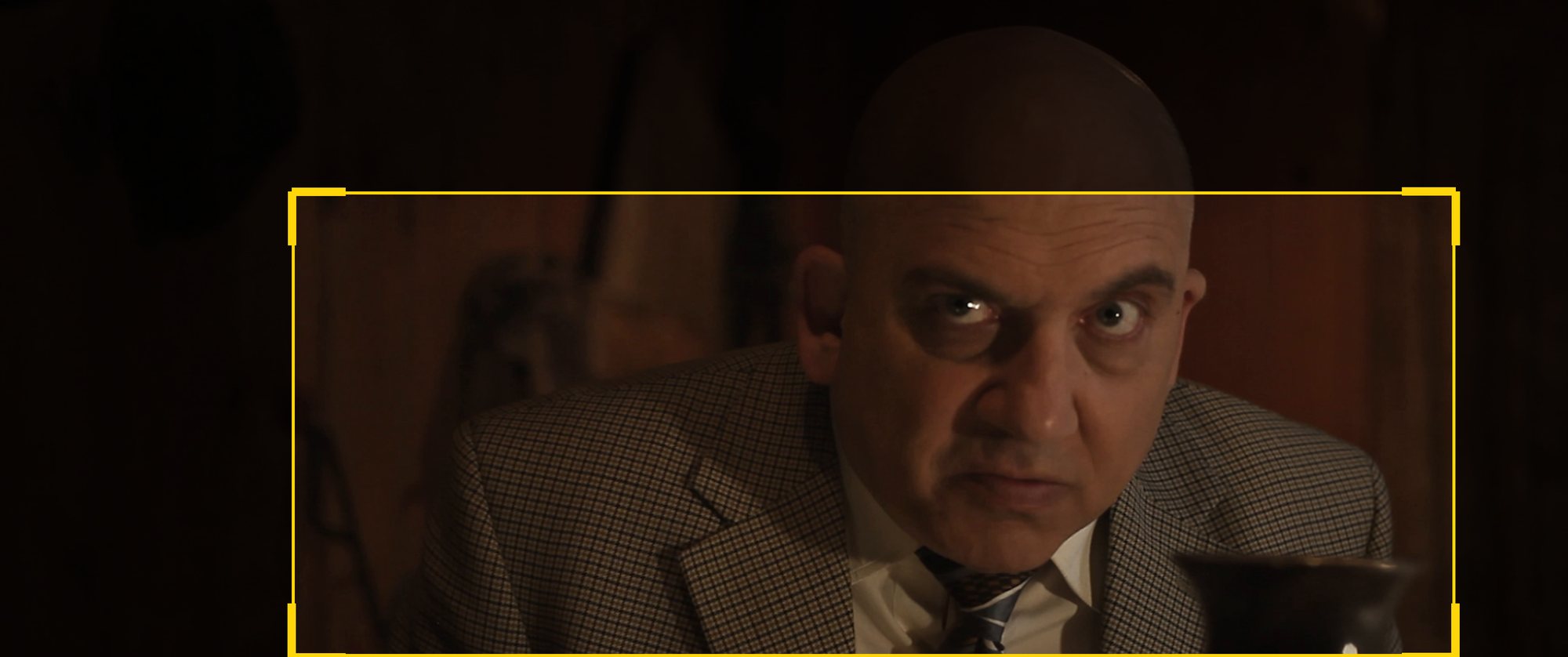
-
Isolate it
SAM 3 draws a matte of the jacket, frame by frame. The yellow area is the only part of the picture the model is allowed to change.
SAM 3 · ComfyUI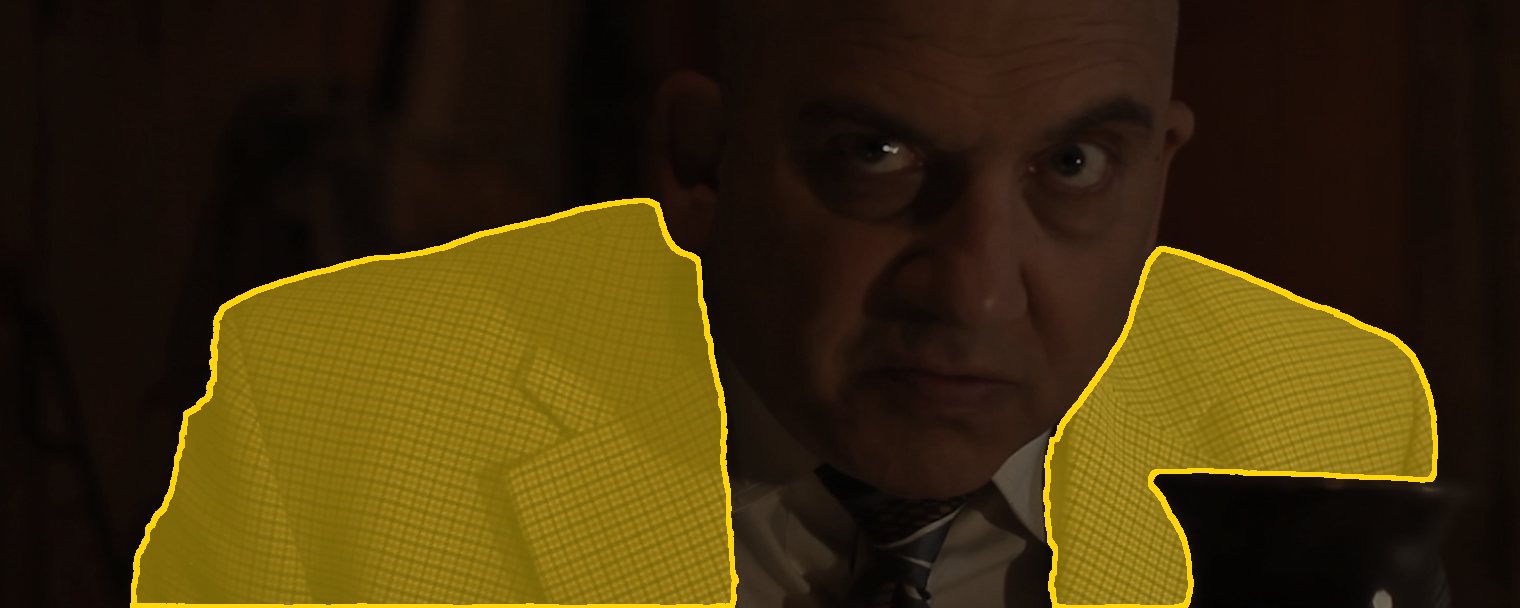
-
Show it the new jacket
The model copies whatever jacket you show it. So every lighting setup gets an approved reference still: the same scene, recoloured to the plain wool the client signed off.
Flux Kontext · Photoshop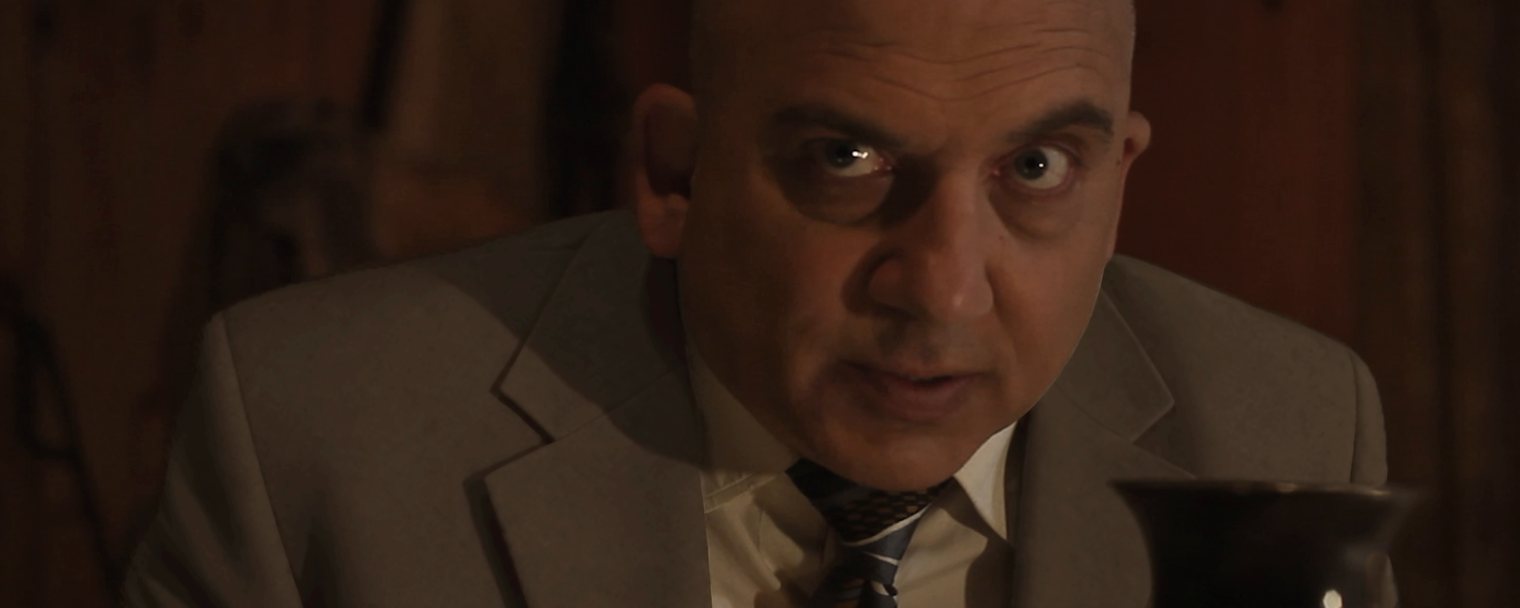
-
Generate, frame by frame
Wan 2.1 VACE repaints the jacket across every frame of the shot, following his head turns, his hand and the lamp light. Eighteen frames from the raw render, before colour matching.
Wan 2.1 VACE · Comfy Cloud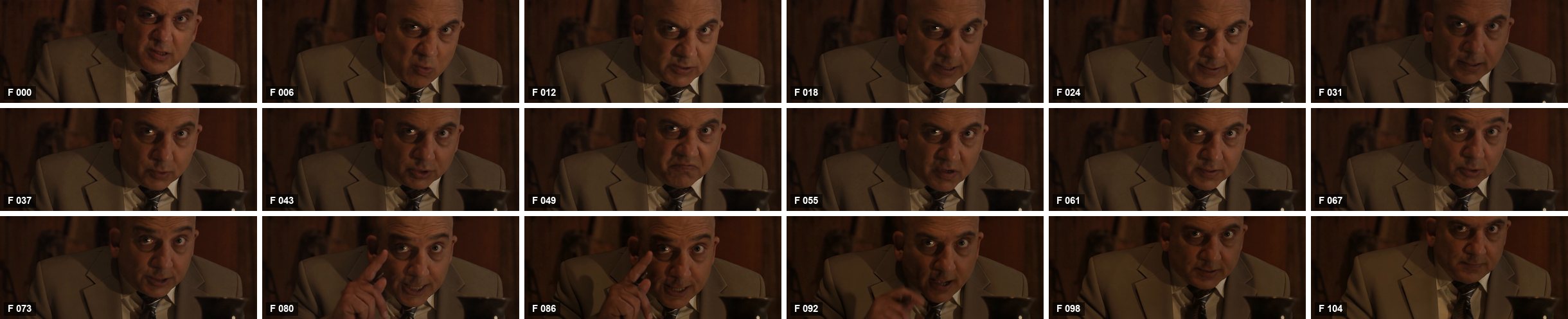
-
Cut it out
Only the new jacket travels back. It is cut out with its own matte, measured and colour-matched to the approved look before it touches the plate.
Python · colour match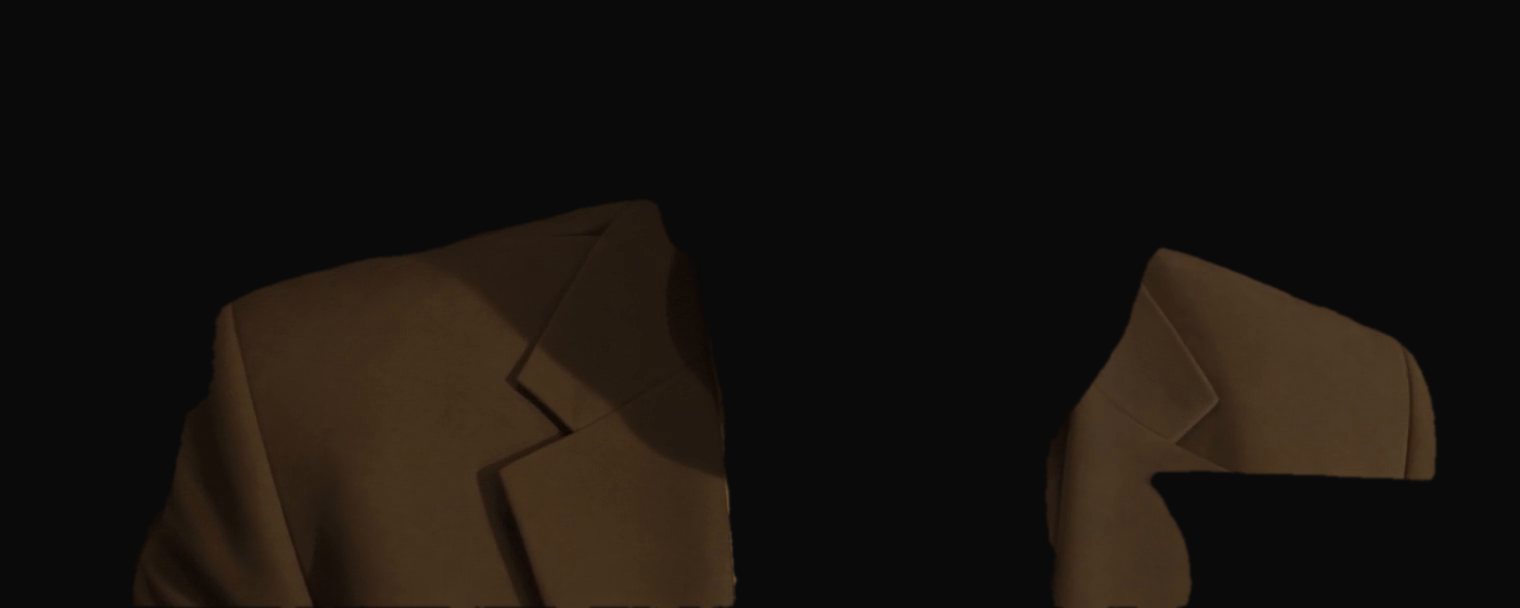
-
Put it back
Composited over the untouched 4K original in After Effects, then conformed back into the film in Premiere, frame-accurate to the cut. His face, his hands, the room: still the original footage.
After Effects · Premiere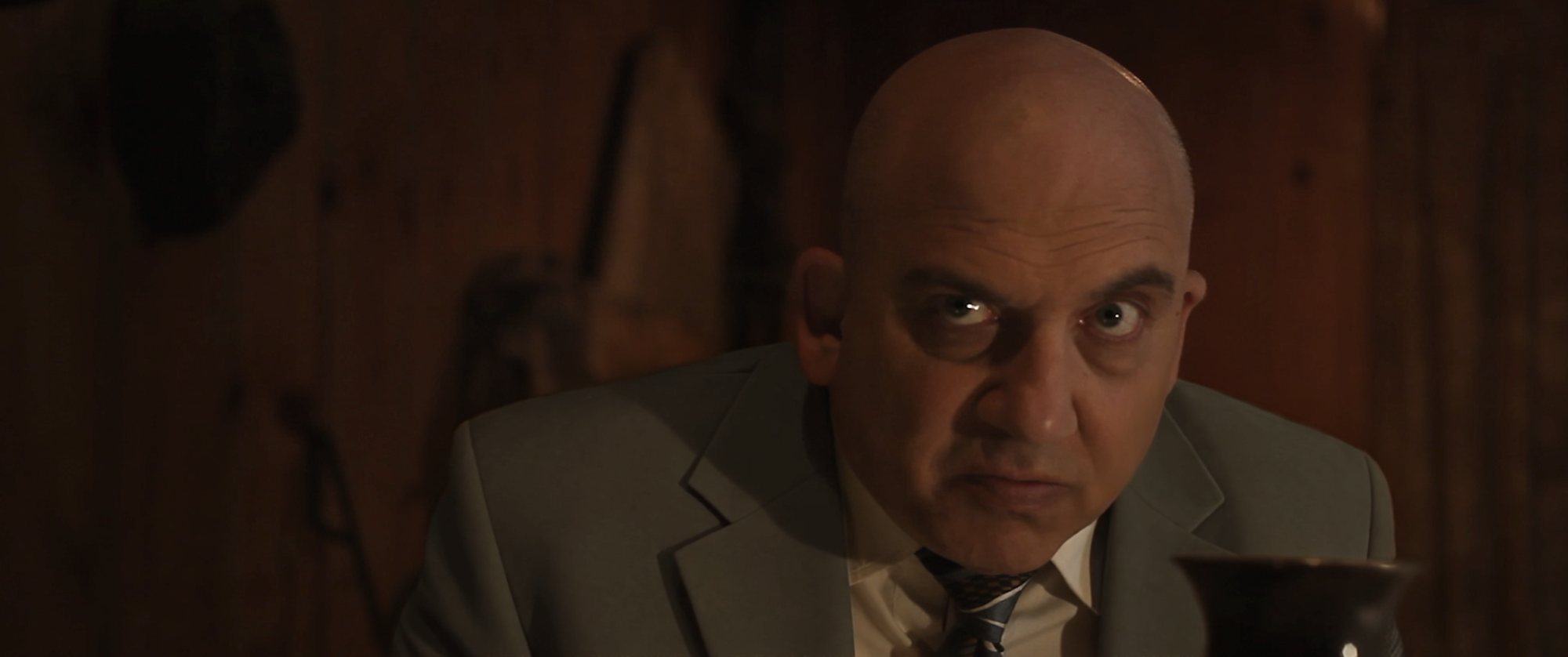

Where the hand comes in
Some details no model gets right on its own. Pen and glasses in the breast pocket, a hand crossing the chest, a mask edge on a dark sleeve: those were tracked in Mocha and painted in After Effects. Everything a viewer would notice stayed in my hands.
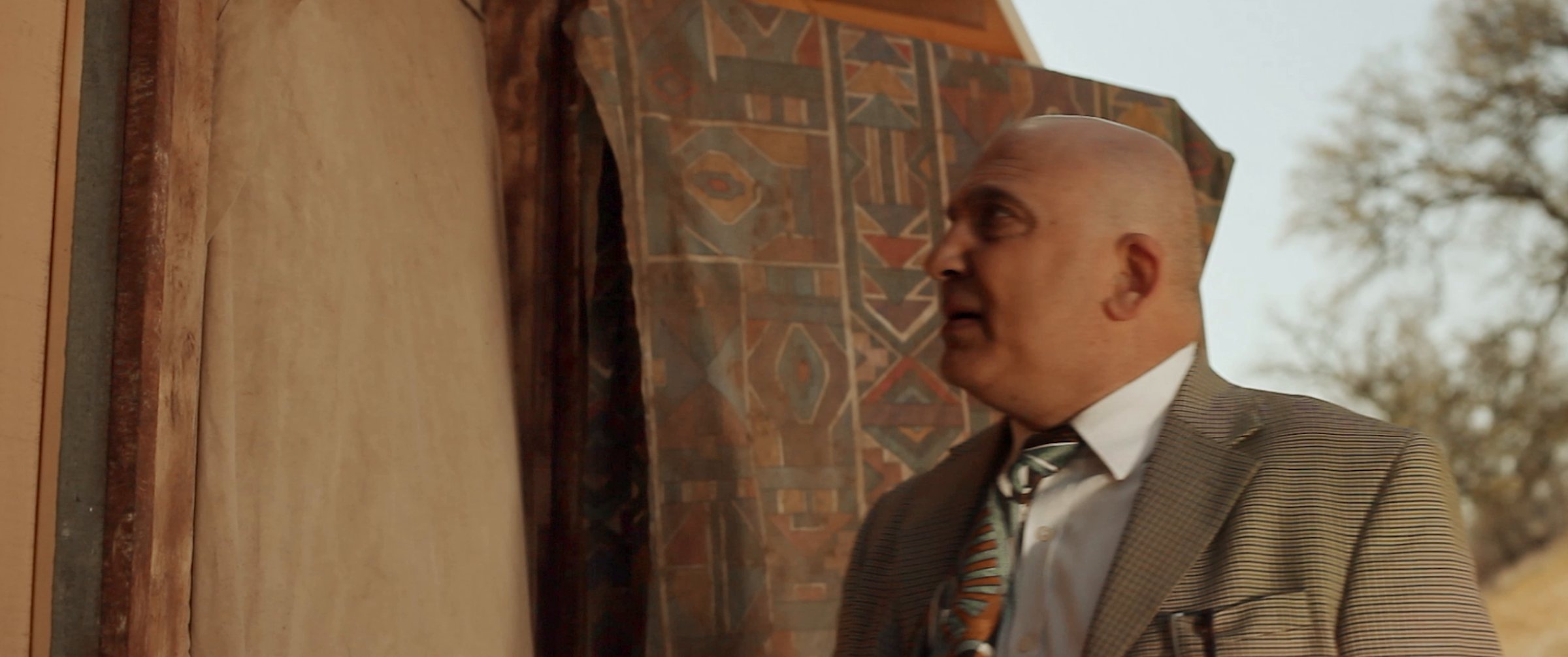 Original
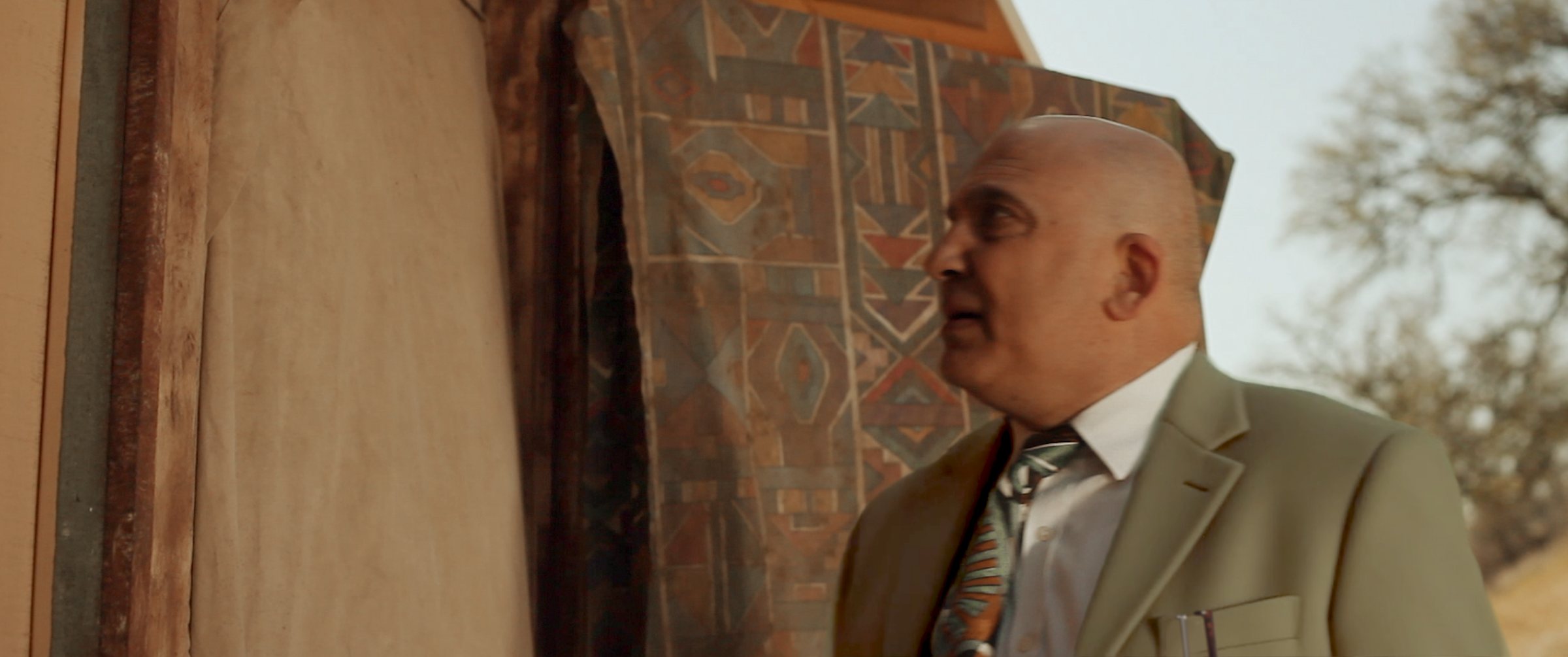 Replaced
Challenges
A replacement this long runs into problems no single shot shows. These six shaped how the pipeline works, and each one ended up as a rule.
Keeping the colour true in low light
The approved jacket colour was set on a bright daylight shot. Applied as a fixed shift to dark, lamp-lit shots, it pushed the hue from olive (65–78°) toward green (90–115°). Measuring the jacket shot by shot in the final export pinned it down, and a small correction layer per shot, applied by script across 60 shots, brought them back without re-rendering.
Long shots in many parts
The model handles about 81 to 97 frames at a time, so long shots render in overlapping parts, each starting from the last frames of the one before. That alone cut the brightness jump at a join from 3.1 to 0.8 Lab lightness units, which is invisible. Across nine parts, though, tiny differences still add up. Resetting every part to the target level and starting a fresh chain every five parts keeps a long shot even from first frame to last.
Matching the reference to the angle
The model fills in what the reference doesn’t show. With a side-on reference on a shot where he turns to camera, it invented a pocket square in the pattern of his tie. Now every shot gets a reference taken from the same angle.
Isolating one costume
In group shots, the mask model asked for “jacket” could pick up another actor’s dress or shirt. Sharper text prompts handled most of these; the rest were masked by hand, frame by frame.
Choosing the right model
Not every tool respects the performance. A newer video model made a beautiful jacket but also re-performed the actor’s hands and lips. A fast moiré filter left the pattern alive in the colour channels, and an image model kept bringing the check back. The test that decided it: change the jacket, and nothing else.
Managing 313 shots at once
At any moment, dozens of shots were somewhere between render, check, composite and review, across 13 lighting setups and weeks of working sessions. No one person can hold that in their head. Claude ran production management: a board with the status of every shot, a record for each shot of its crop, reference, render settings and colour, a handoff note closing every session, and my review notes turned into a checklist per shot. I always knew what was next, and nothing fell between sessions.
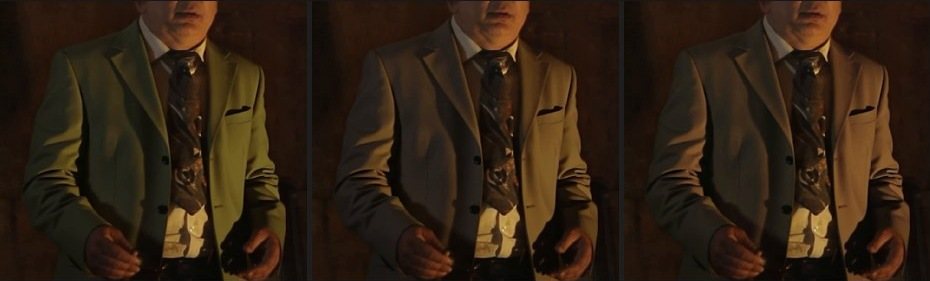
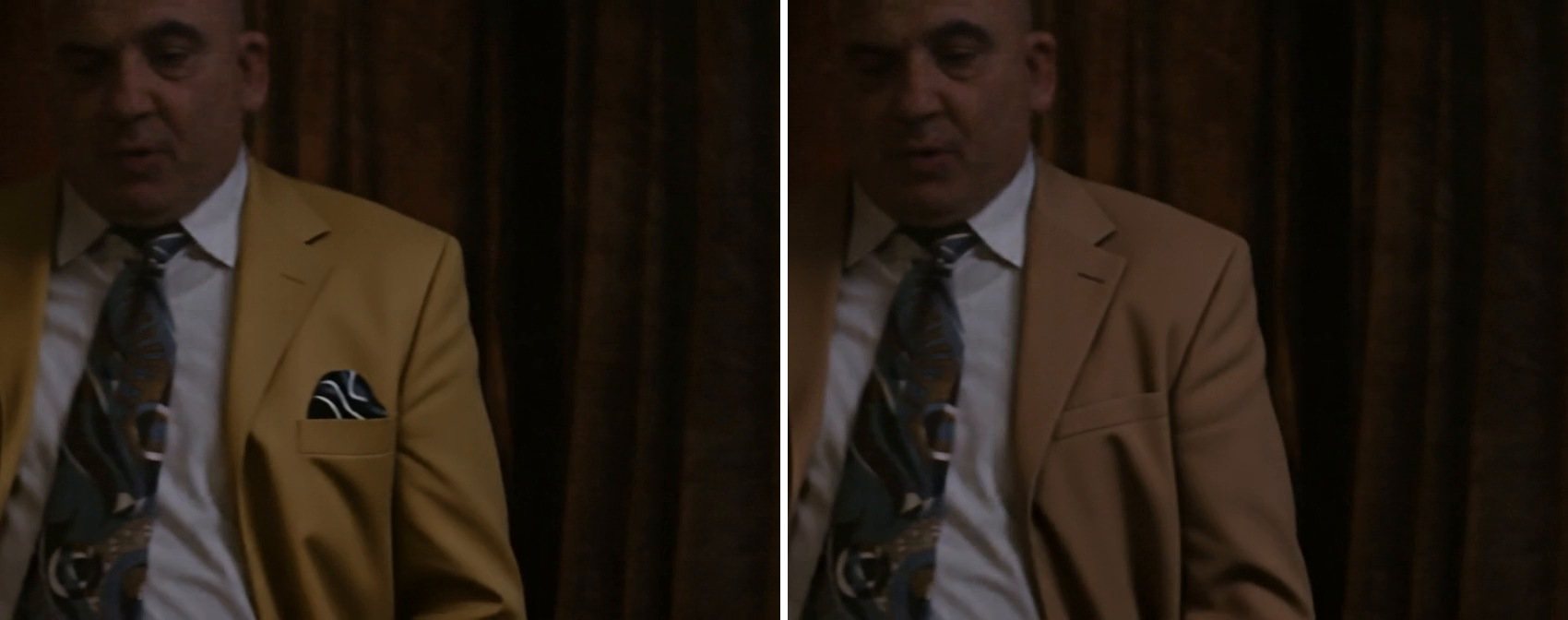
More shots
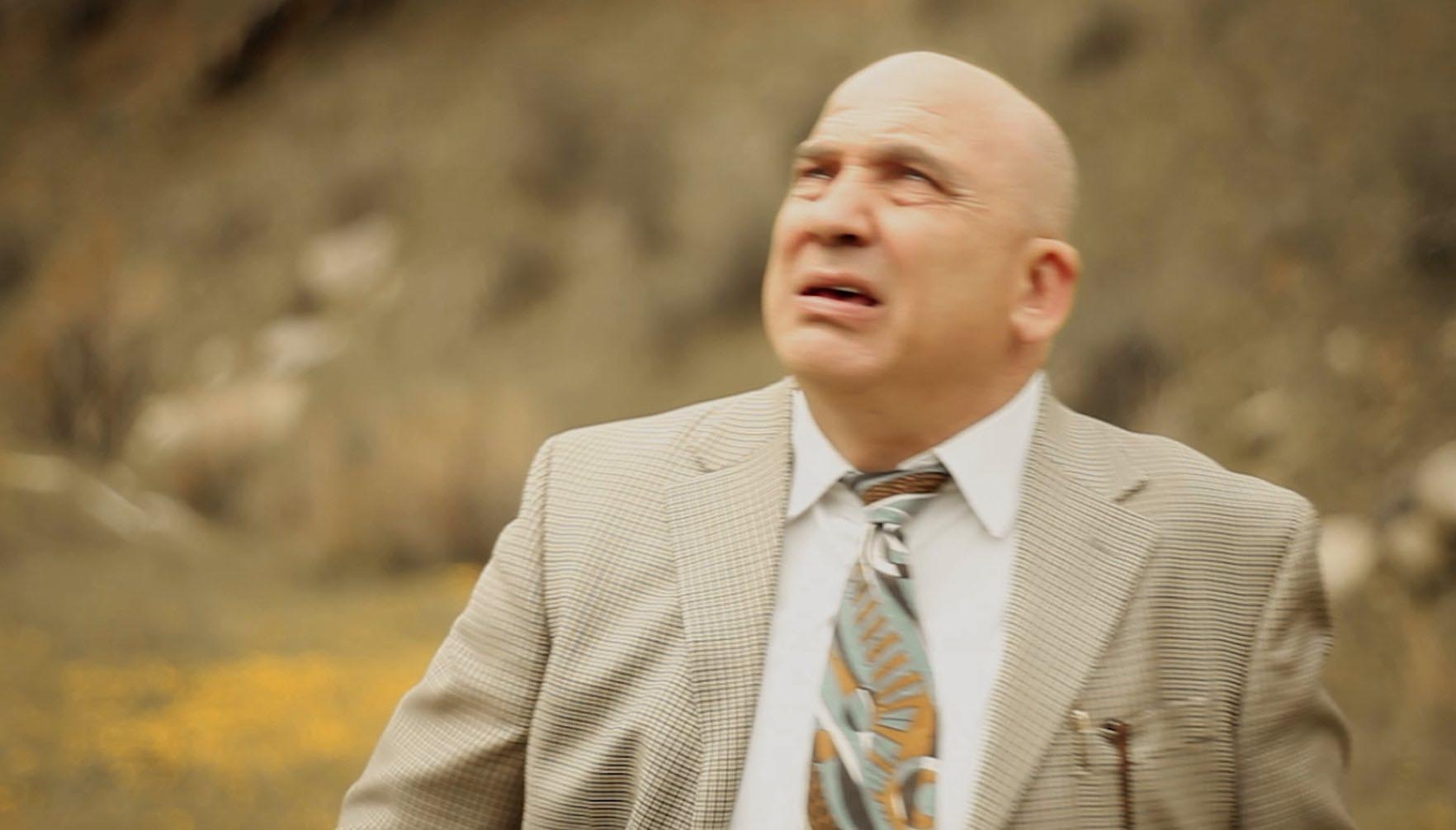 Original
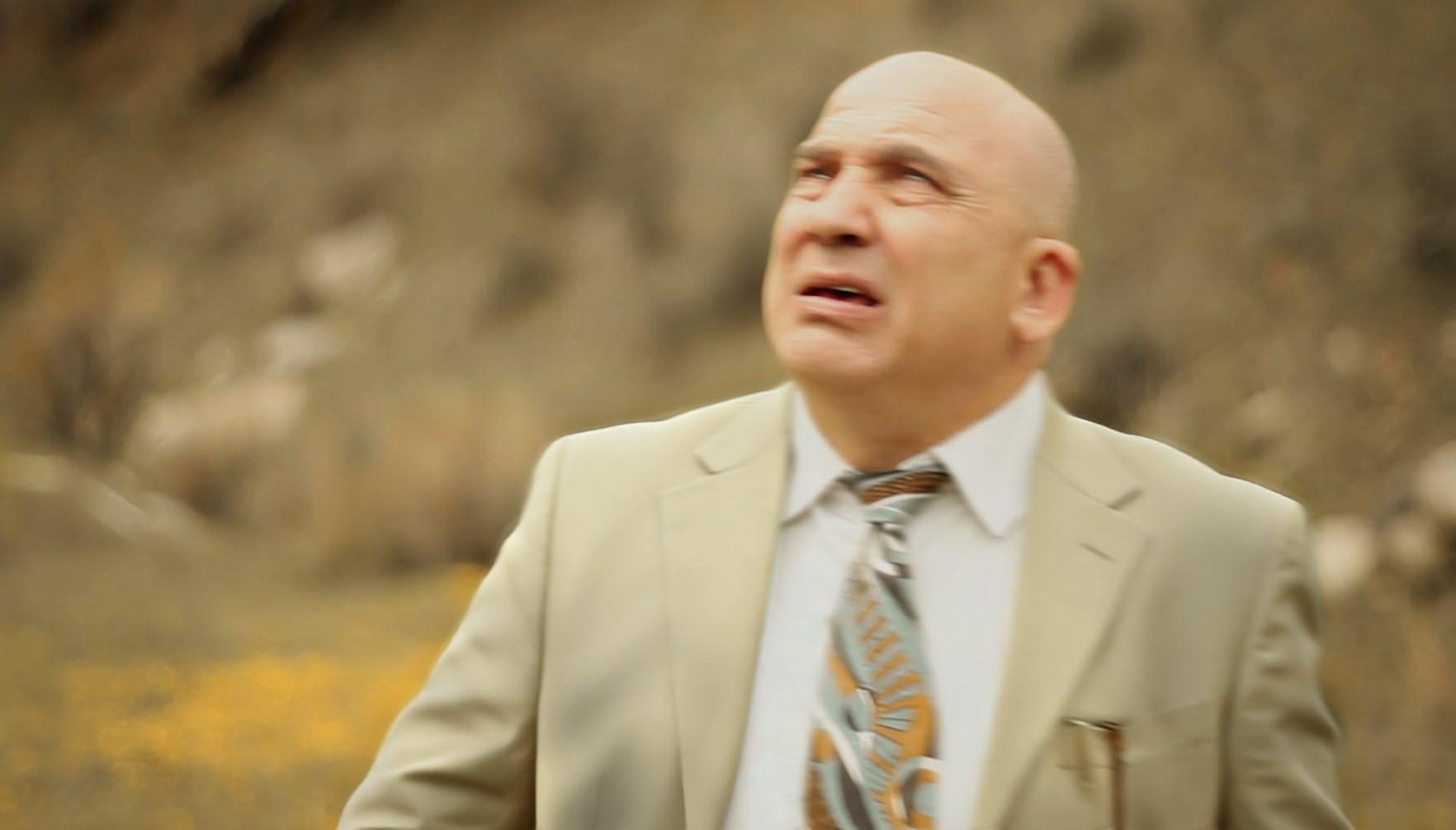 Replaced
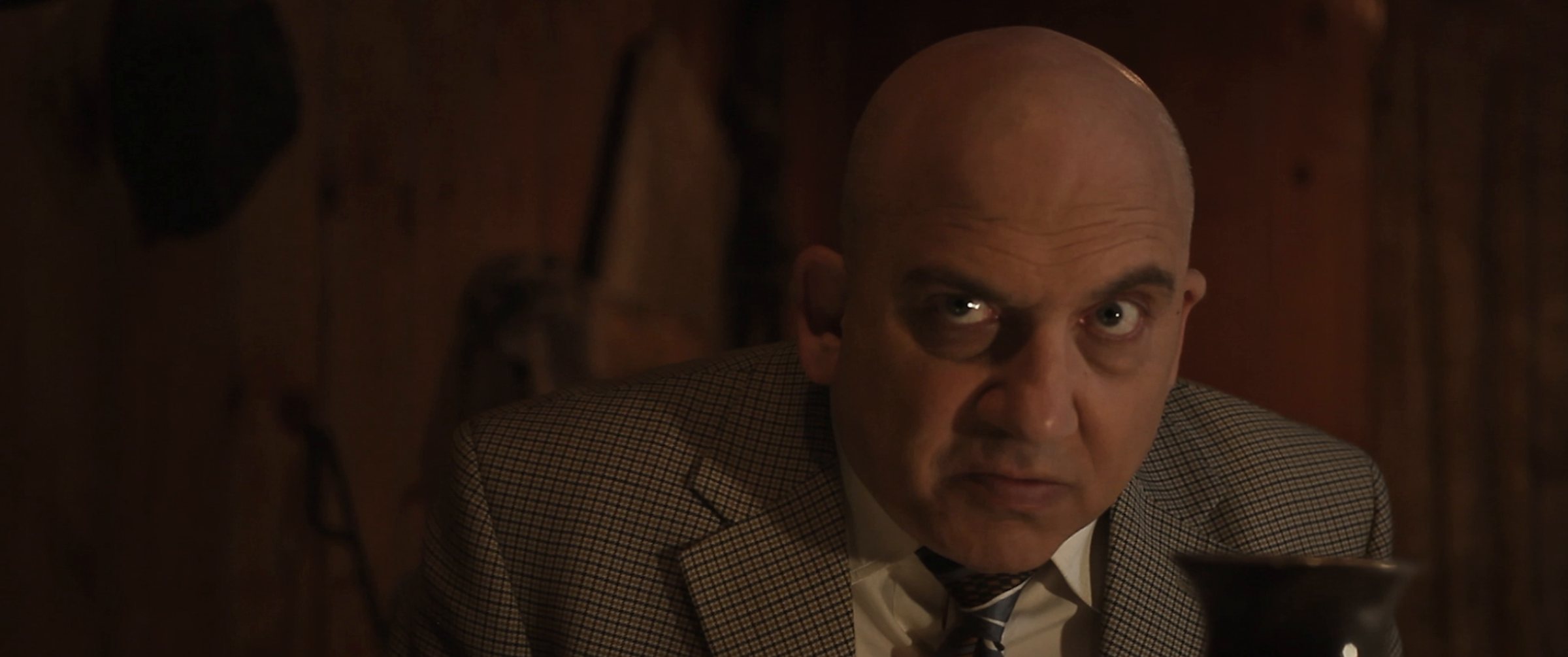 Original
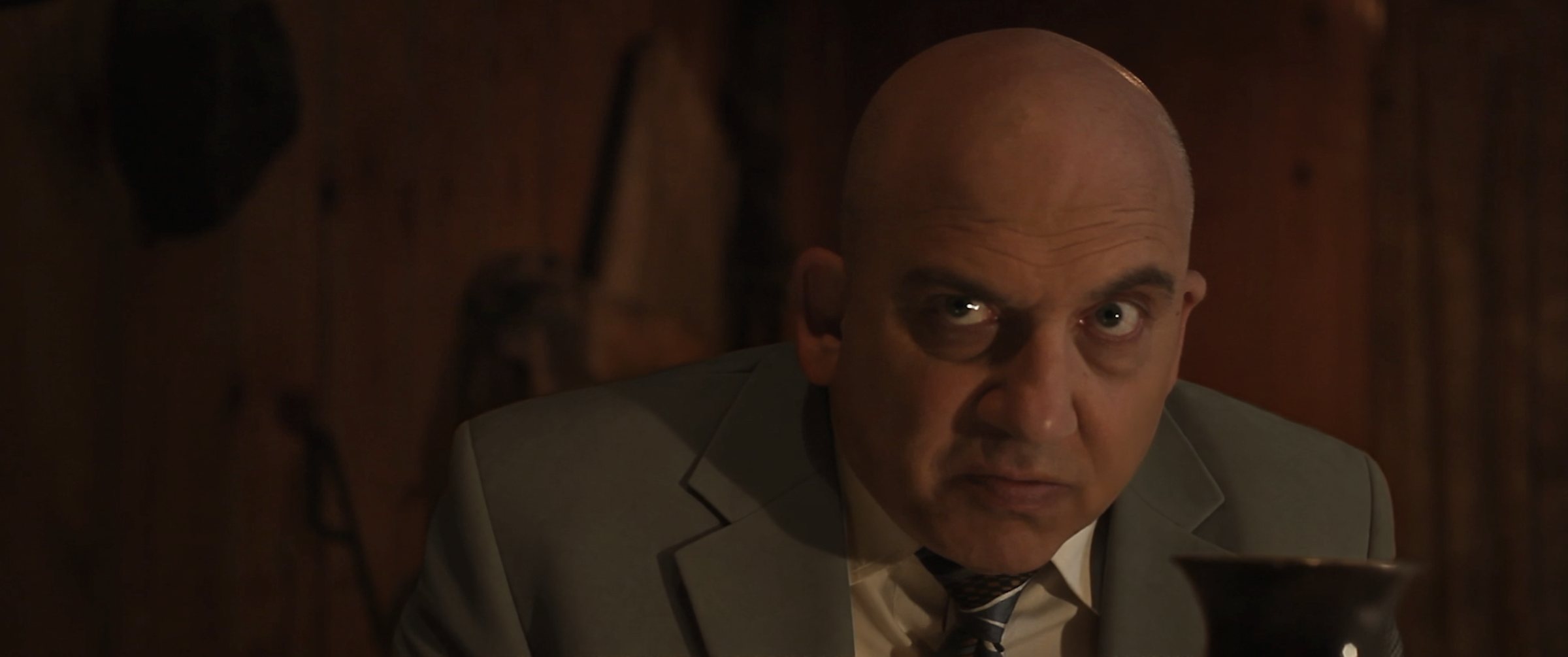 Replaced
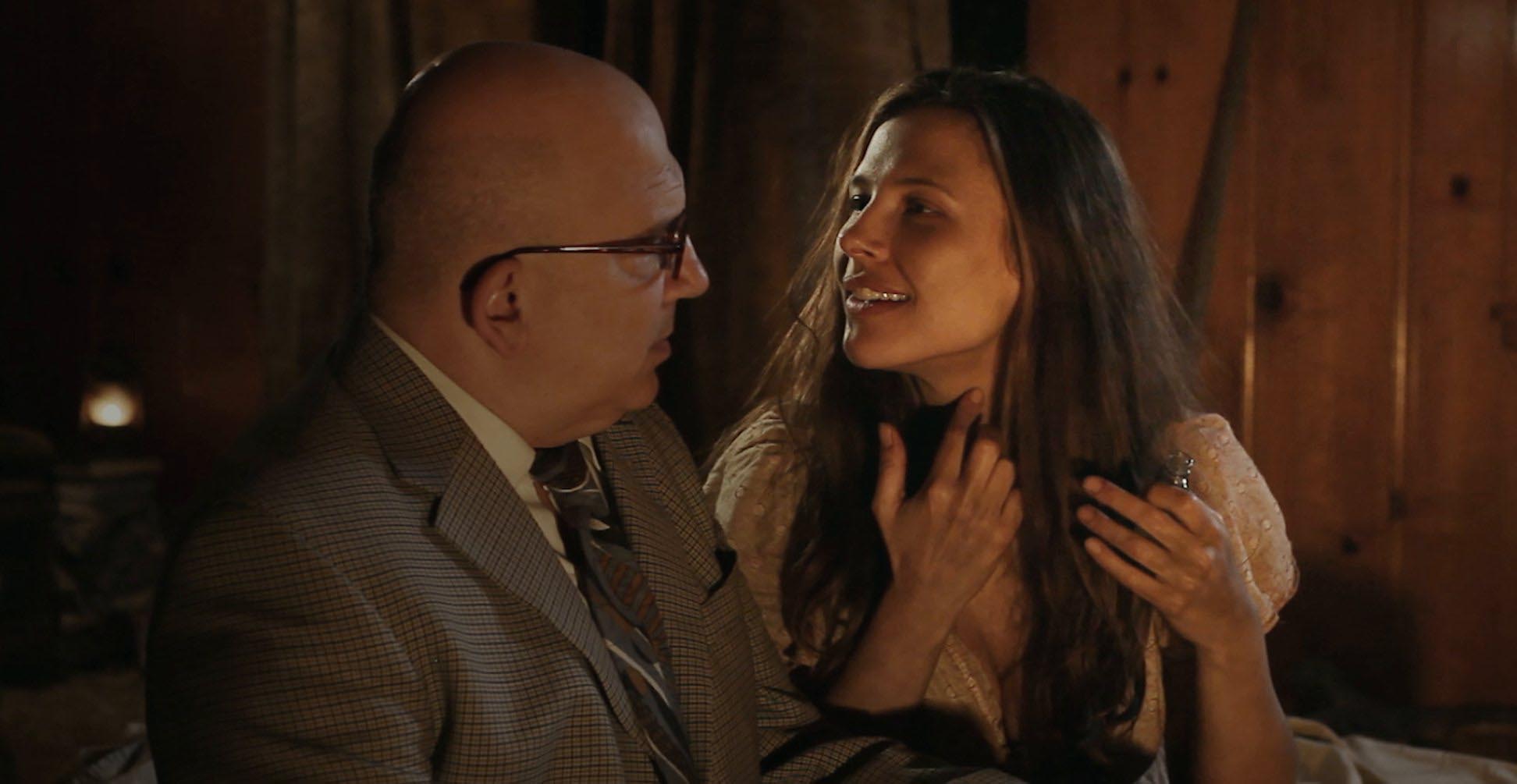 Original
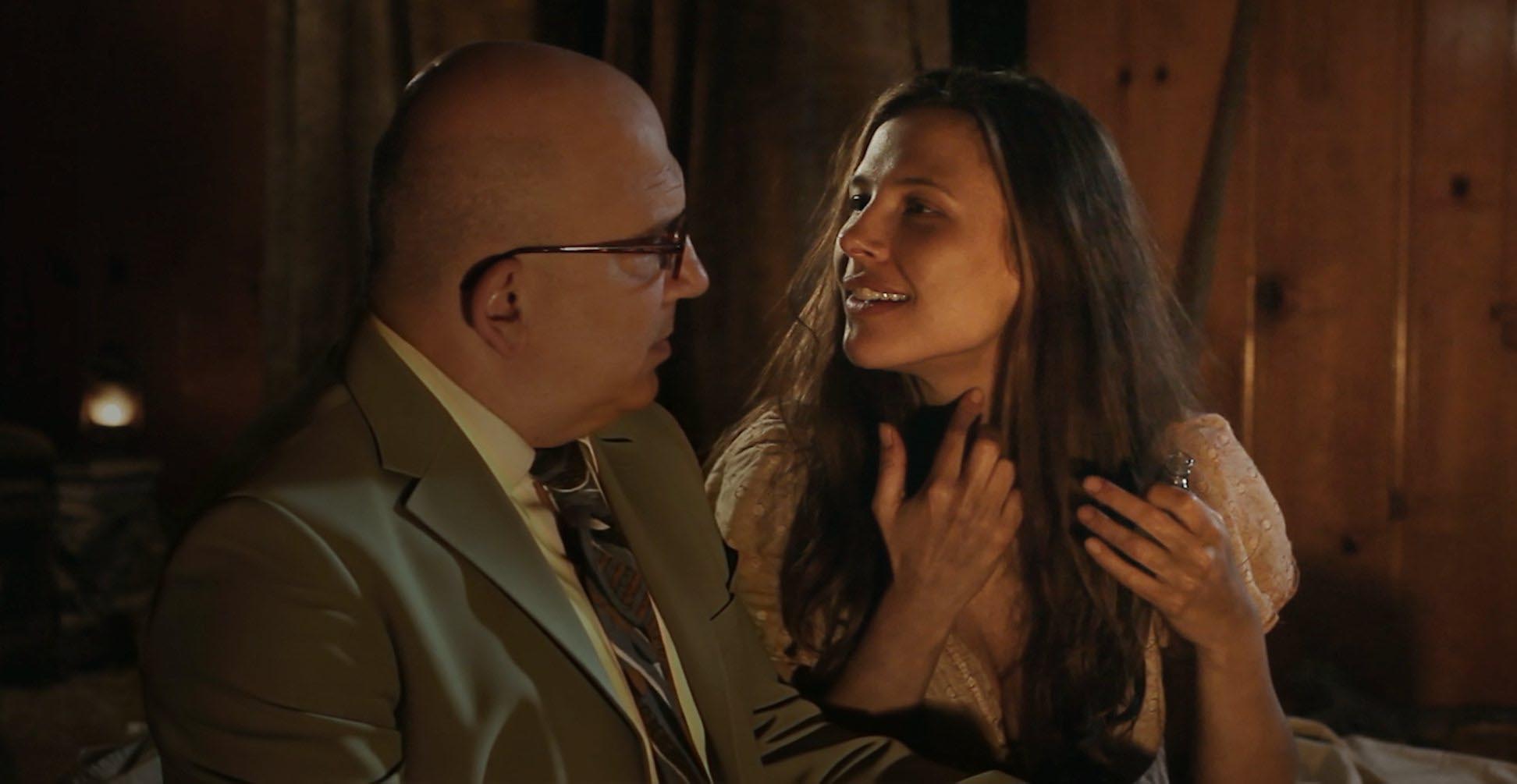 Replaced
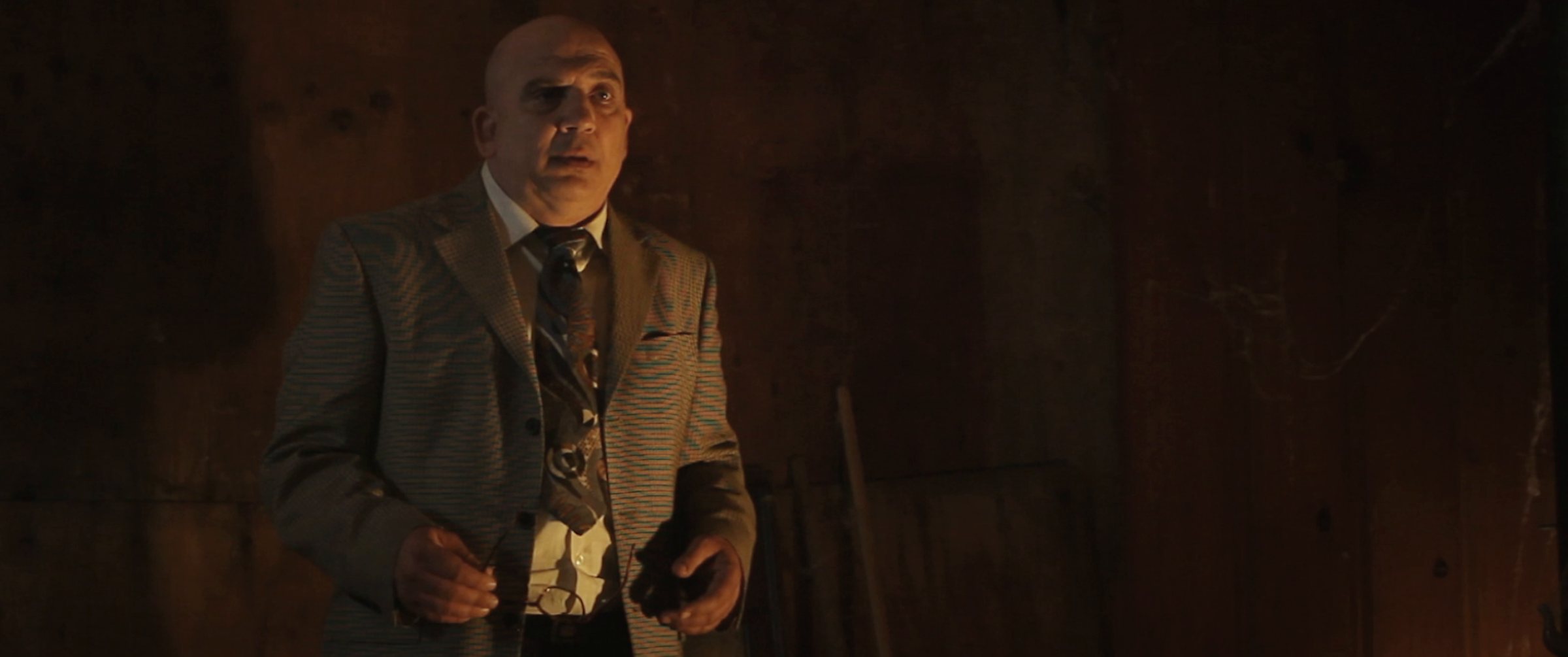 Original
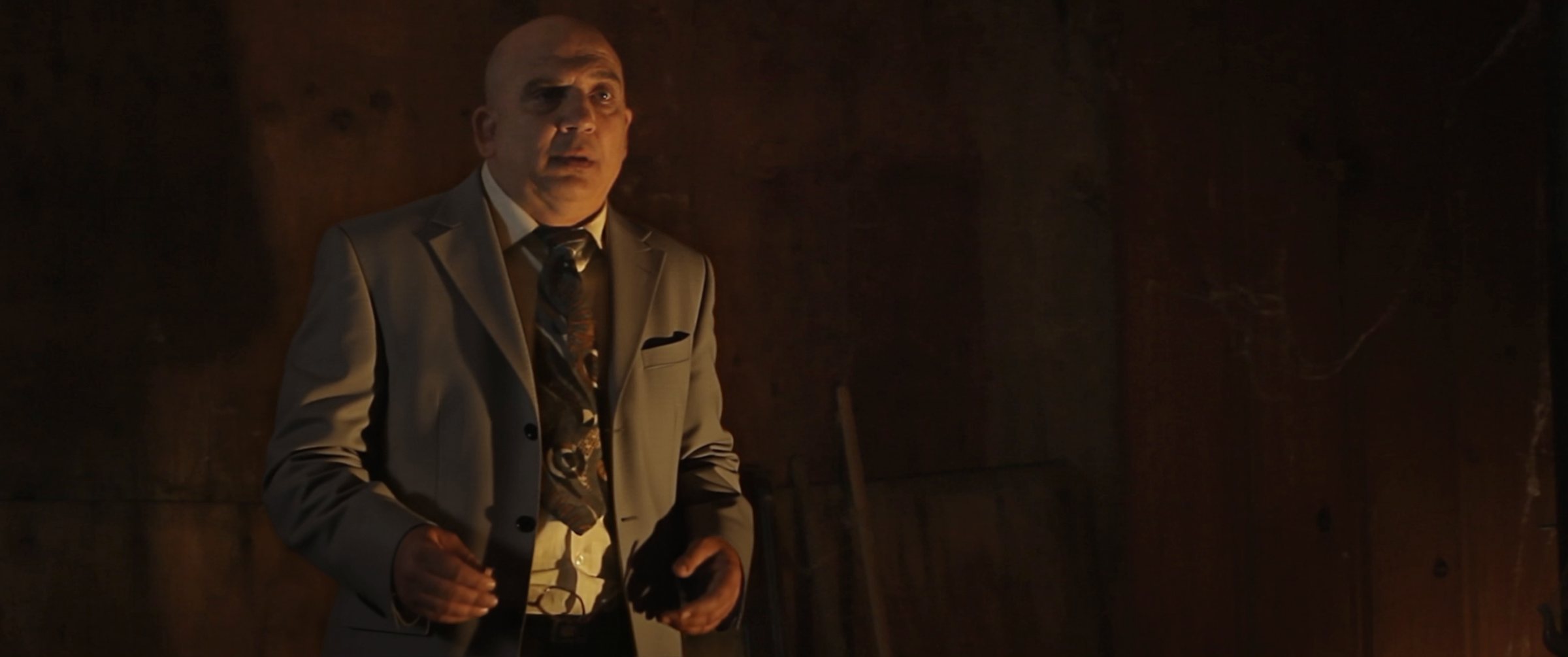 Replaced
Working with Claude
I didn’t build the production system by hand. I directed Claude, and it wrote about 10,000 lines of tools: Python for cropping, checking and colour, scripts that build every shot in After Effects and place it in Premiere. It kept the rules, measured the results and ran batches while I slept.
This is the part I think carries over to any production, not only AI video.
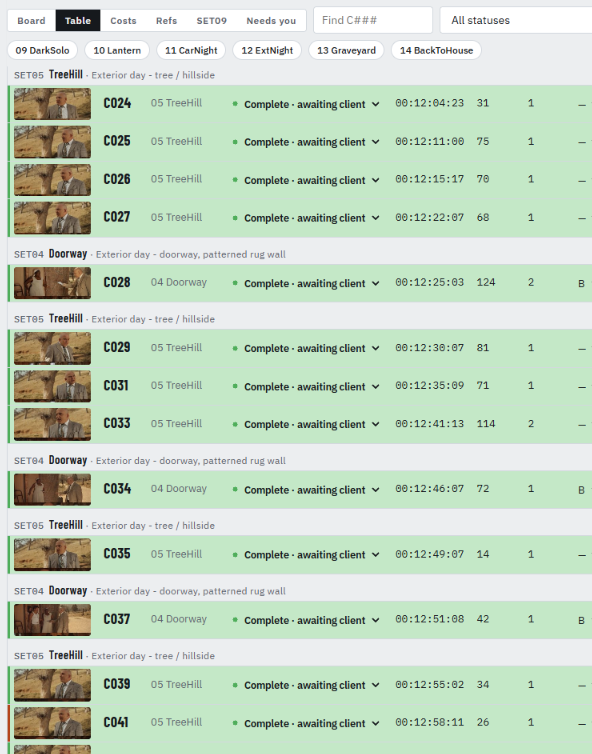
- Write the rules downOne table of current settings, each with a date and a reason. Every new session read it first. That kept shot 300 consistent with shot 30.
- Say when to askEarly on: propose and wait for my go. During batches: don’t stop, except for money, anything destructive, or when you need my eyes.
- Good enough is a ruleLeft alone, an agent loops on a shot to chase a perfect number. Accept renders near the target and flag the small things.
- Make it measureA simulation said one shot was green; the final export showed it was brown. After that, only measurements of the final image counted.
- Keep the tasteClaude never decided a shot looked right. It decided a shot was ready for me to look at.
Questions
What is moiré?
A false pattern that appears when a fine, regular pattern, like a small check or stripe, interferes with the grid of the camera sensor. It shows up as rainbow waves that crawl across the fabric whenever the actor or camera moves.
Can you remove moiré without replacing the garment?
Mild moiré can be softened with blur, median or denoise filters on a mask. Strong moiré, like this jacket, survives in the colour channels and comes back in motion. Then garment replacement is the reliable fix.
Can AI replace a costume in finished footage?
Yes, if you treat it as a VFX shot and not a filter. The model generates the new fabric; cropping, references, colour measurement, matte checks and compositing make it hold up across a whole film.
How is this different from full-frame AI video generation?
Full-frame AI generation regenerates the whole picture. The actor’s performance, expressions and body movement are re-imagined, and so is everything around him, including the other actors in the shot and how they react to him. What comes back is a new take, not the one the director chose. This process replaces only the pixels inside the jacket’s matte. Every expression, gesture and moment between the actors is the original footage, frame for frame, so the performance on screen is the performance that was shot.
Does it hold up at 4K?
Generation runs on a crop around the garment, not on the whole frame, so the new fabric keeps its detail. Everything outside the jacket is the untouched original plate.
How long does it take?
It depends on how many shots there are, how long they are and how many lighting setups the garment appears in. This film had 313 shots and 44,333 frames across 13 lighting setups, delivered in 4K.
What do you need to quote a job?
The cut or a list of affected shots, the best master you have (camera originals if possible), and a reference for the new look. I start with one test shot for colour approval, then match the rest of the film to it.
Wardrobe that didn’t work on camera?
Moiré, a logo you can’t clear, a costume that changed halfway through the shoot, a QC note you can’t fix the traditional way. Garment replacement works on finished footage. Send me one shot and tell me what it needs to become. I’ll tell you how I’d do it and what it costs.